
Introduction
I still remember the joy of using my first smartphone. It was a great pleasure for me to open apps very quickly, switch between screens and manage everything effortlessly, because it was 5 years ago when I bought my first smartphone for myself. But slowly, something changed. The phone that once felt powerful, started lagging, freezing and even taking a long time to load Google. At first I blamed myself: “Maybe I installed too many apps and played too many games back then.” But later I realized that this happens to almost everyone, whether you use Android, iPhone or any other brand. And that time I had only one question in my mind “Why phones slow down over time?”.
So why do phones slow down over time? Why does your phone feel great for the first year and then start having problems after two years? Why does browsing become slow? Why are old phones almost unusable? Let’s break down the real reasons behind this common problem and learn how to solve it in a practical way. Today we are going to discuss these issues, and hopefully the phone you are reading this article on is working properly.
Want to read about cloud computing ? – Cloud Computing
Want to read about Machine Learning ? – Machine Learning
Table of Contents
Why Phones Slow Down Over Time?
Let’s see why this happens to us and we will see different reasons, so without delay, just learn and read –
1. Apps Become Heavier Over Time
The first major reason why phones slow down over time is that apps don’t stay the same. Today, when we download an app, it may look small and fast. But after some time, the same app gets new updates, new features, better animations, and heavier files. Developers rarely think about the hardware of older phones – they design for the latest phones.
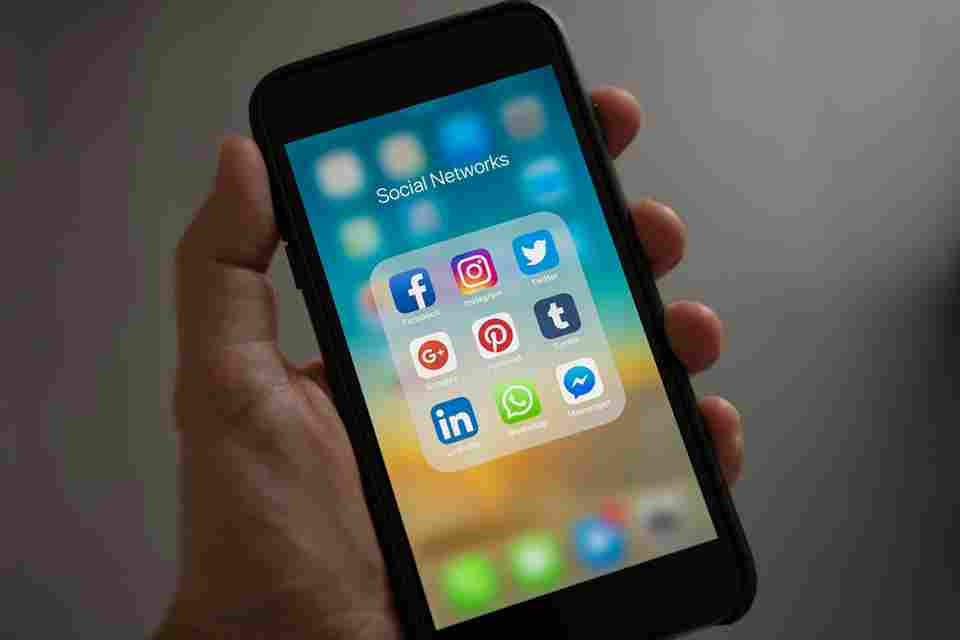
For this reason, apps like Instagram, Facebook, and even WhatsApp, and many other popular apps, gradually require more RAM, more processing power, and more storage. Your phone stays the same, but the apps get bigger, and the storage size keeps increasing. You can see that by going to the app info of the app, but first read the full article.
This is a big reason why Android phones slow down over time, and even iPhones face this problem after a few years. The device can’t keep up with today’s heavy apps.
2. Software Updates Push Hardware to Its Limit
Software updates are designed to improve performance, but sometimes they unintentionally slow things down. Brands release updates designed for newer models – not older ones. If your phone is more than 2 years old, an update can cause the following:
- Slow animations
- Increased battery drain
- More background services
- Heavy system files
3. Storage Gets Full — And This Seriously Slows Things Down
This is the biggest reason. When your phone’s storage is almost full, your phone’s internal memory slows down. Some people may see a notification or red line before it’s full. Both Android and iPhones experience this problem.
When the storage is full, your device can’t properly create temporary files and background processes don’t run as quickly. This results in freezing, lag, app crashes, and even overheating.
Most people notice this when their Android phone is running slow and freezing repeatedly.
Try to keep at least 20% of the storage free, and you’ll see a big difference or at least prevent the phone from lagging a little.
4. Battery Health Gets Worse Over Time
This is my personal experience. My phone suddenly became slow, it took a while to open apps, sometimes clicking on an app would close it automatically, and even typing was slow. When I checked the battery status, it was down to 72%.
An old battery cannot provide stable power to the processor. As a result, the phone’s performance has to be reduced to avoid sudden shutdowns.
This is a big reason why phones slow down after 2 years – the battery can no longer support full performance.
5. Background Apps Eat RAM Silently
We all multitask. We switch from WhatsApp to Instagram, then quickly check Chrome, and then open Snapchat or YouTube. But when we keep these apps in the background, they don’t sleep, they silently use RAM.
Over time, unused apps take over:
- RAM
- Cache file storage
- Background data
Eventually, your phone feels slow and heavy. You’ll notice this especially when you’re wondering why my phone is slow to browse – because the RAM is already busy with dozens of background processes.
Clearing background apps once a day can really help, or just keeping the ones you’re not using in RAM, right?
6. Cache Files Get Massive
Cache is basically temporary memory that is created to speed up apps. But here’s the twist: when the cache gets too big, it slows down your phone instead of helping it, and apps become even more cumbersome.
Apps like Facebook, YouTube, and Chrome often store hundreds of MB of cache. Over time, it accumulates, slowing down performance, and eating up internal storage.
This is another popular reason why Android phones slow down over time compared to iPhones. I personally think that Apple manages the cache more aggressively, while Android gives more freedom, which can lead to chaos. If you have a different opinion, don’t forget to share it in the comments.
9. Dust & Aging Hardware
No matter how well we maintain our phones, dust enters through the speaker grill, charging port, and vents. Dust affects heat dissipation, which makes your phone hotter. Hardware components like charging ICs, RAM chips, storage chips, and even the display connector become weaker with age, it’s not uncommon for this to happen. And we all face the same issue and asked ourselves “Why phones slow down over time?”.
How to Make Your Phone Faster Again (Practical Tips)
I know the frustration of using a slow phone. Being late annoys you, apps behave slowly, and even simple tasks become annoying. But the good news is that you can easily regain a lot of speed, but there is no permanent solution because people don’t have a life guarantee on their phones.
Here’s what actually works:
- Clear app cache weekly : Clearing the cache for heavy apps like Chrome, Instagram, and YouTube gives an immediate speed boost.
- Uninstall apps you don’t use : We all install apps “just to check” and forget about them. Remove them — they slow everything down.
- Keep at least 15-20% of storage free :This can solve freezing and lag issues.
- Restart your phone every 2-3 days : This refreshes the RAM and kills unnecessary background tasks.
- Update apps, not the system, if your phone is old : If your device is 3+ years old, avoid major system updates.
- Disable background app refresh : Stops apps from constantly using RAM and internet.
- Replace your battery if the battery health is below 75-80% : It makes old iPhones and Android phones feel like new again.
- Avoid charging while gaming : It creates extreme heat and reduces the life of the processor.
- Use lite versions of heavy apps : Apps like Facebook Lite, Messenger Lite, and Opera Mini help old phones breathe again.
FAQs
1 . Why do phones get slower over time?
Answer : Because apps become heavy, storage becomes full, battery life decreases, and old hardware cannot handle modern software, the phone gradually becomes slow.
2. Why do Android phones slow down over time?
Answer : Android gives more background freedom, so RAM fills up quickly and the cache grows larger.
3. Why do iPhones slow down?
Answer : In most of cases due to battery health and heavy updates that require new hardware.
4. Why is my phone slow in browsing?
Answer : Browser cache, many tabs for no reason, low RAM, weak network, or old processor.
5. Why do phones slow down after 2 years?
Answer : As the battery ages, app updates, overheating stress, and storage issues usually take the biggest toll after 2 years.
Conclusion
It’s not entirely normal for your phone to slow down over time, it’s not your fault. I’ve had it, you’ve had it, and almost every smartphone user goes through this cycle. Our phones are powerful, but they work hard every day, handling apps, calls, browsing, gaming, and endless background processes. Over time, the hardware gets old and the software has to work even harder.
But the best part is: With small habits and smart maintenance, you can keep your phone fast, smooth, and reliable for years to come. A little care can go a long way in extending the life of your phone.
Disclaimer
This blog is based on personal experience, general research and general smartphone behavior. Actual performance may vary depending on model, brand, usage pattern and software version. And I have not mentioned anywhere that we are certified software hardware or phone experts so enjoy this article as a general knowledge, if there is any serious issue then definitely contact a certified or expert person. Thanks everyone.
Image Credit : https://www.pexels.com/photo/person-holding-iphone-showing-social-networks-folder-607812/