
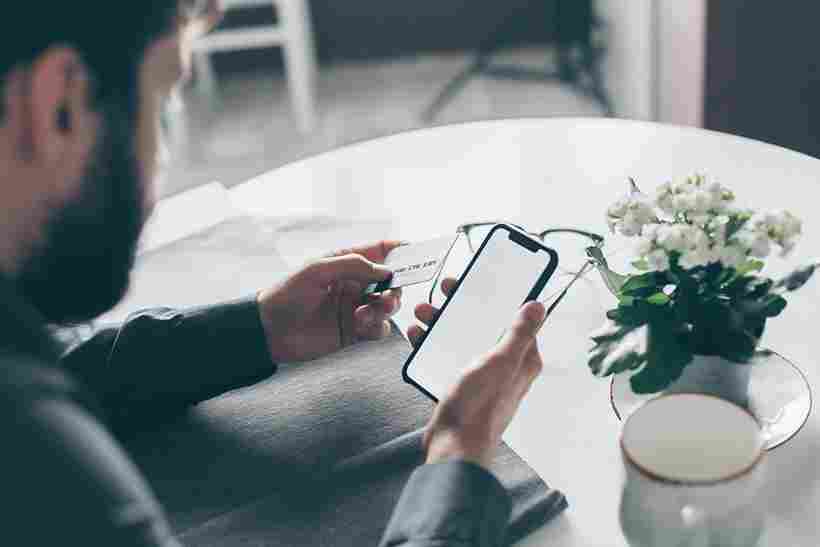
I check my phone first thing in the morning and the last thing I touch before bed. Maybe it’s the same for you. Our smartphones now have everything on them: photos, messages, banking apps, memories, passwords, even parts of our identities and more. And that’s exactly why hackers are and will continue to target phones more than anything else these days. It’s not because they want your wallpaper or selfies, but because your phone is the gateway to your entire digital life, something they can start burning down once they get their hands on. The truth is, you don’t have to be rich or famous to get hacked. Sometimes all it takes is a careless click, an unprotected Wi-Fi connection, or an outdated app.
But the good news is that securing your smartphone is easier than you think. And you don’t have to be a tech expert to do it. Let’s talk about how to secure your phone in the easiest, most humane way possible.
Table of Contents
1. Start with a Strong Lock : Your First Line of Defense
It may sound simple, but many people still use weak passwords or predictable patterns. Your lock screen is like the front door to your house; if it’s weak, anyone can get in. Use these, but try to keep it simple and try to make it a little trickier, something that’s connected to your life so you remember it but no one else knows it, no documents, and no one else can find it :
- A strong PIN
- A long password
- Fingerprint or face unlock
Avoid the following because all your details are already digitally available :
- Birthday
- “1234”
- A simple pattern
A good lock screen won’t stop your phone from being hacked, but it will keep ordinary intruders out – and sometimes that’s enough to prevent a disaster.
2. Keep Your Phone Updated Hackers Love Old Software
I know updates can be annoying. The pop-ups, the wait times it’s tempting to hit “later” every day. But here’s something we forget :
- Updates fix security flaws that hackers exploit.
- When you skip updates, you’re essentially leaving your door half-open.
- Both Android and iOS don’t just release updates for new features – they do it to protect you.
If your phone asks you to update, let it. A few minutes of patience can save you weeks of stress or even years.
3. Download Apps Only from Trusted Sources
Sometimes the most dangerous apps are those that look innocent enough a fake photo editor, a clone of a game, or a “free premium version” of something popular.
Hackers hide malware inside these apps that :
- Steal passwords
- Read messages
- Lock your phone
- Track your activity
Always don’t download from :
- Google Play Store
- Apple App Store
- Never download APKs from unknown websites unless you’re completely sure.
A careless install can cost you more than you think , they can hack anything from your phone and don’t give them that chances.
4. Beware of Free Wi-Fi : It’s Not Always Friendly
While public Wi-Fi may seem convenient and tempting too, it’s like shouting your personal information into a crowded room.
Hackers can easily :
- Steal your passwords
- Read what you browse
- Inject malicious links
If you must use public Wi-Fi, avoid :
- Logging into accounts
- Using banking apps
- Making payments
Your mobile data is much safer than any random hotspot.
5. Turn On Two-Factor Authentication (2FA)
Imagine someone somehow got your password. Without 2FA(two-factor authentication), they could log in immediately. But with 2FA, they’d also need a verification code sent to your phone. And that extra step could save your account.
Apps like : Gmail, Facebook, Instagram, WhatsApp, Banking apps – all these apps support 2FA.
It’s simple, fast, and incredibly powerful, you’re the only controller of your own privacy.
6. Be Selective With App Permissions
If you ask me , so according to me , it’s most important point i observed. Why would a calculator need your location? Why would a wallpaper app want to access your photos? Every permission you grant is a window you open. Review your permissions :
- Camera
- Microphone
- Storage
- Contacts
- Location
Only give apps access that they actually need. Your privacy is not something you should give away casually.
7. Install a Trusted Security App (Optional)
A good security app can do the following and help to prevent bad things from our digital things :
- Detect malware
- Scan for harmful apps
- Warn you about unsafe Wi-Fi
- Block phishing links
You don’t need premium even basic protection helps, and even by default phones also have some security apps or options and you should check those things daily.
Conclusion
Your smartphone contains memories, messages, dreams, and little pieces of your life that you may not even realize are important. Protecting it shouldn’t be a chore; it should respect the value of your digital life. You don’t have to be a hacker to protect yourself from it. Just simple habits, a little awareness, and the belief that your privacy really does matter. Your data is your story, don’t let anyone else write it for you.
FAQs
1. How do I know if my phone is hacked?
Answer : Signs include fast battery drain, unknown apps, overheating, pop-ups, or strange activity in your accounts.
2. Can someone hack my phone remotely?
Answer : Yes, through malicious apps, phishing links, unsafe Wi-Fi, or weak passwords. That’s why security habits matter.
3. Should I worry if my phone acts slow?
Answer : Not always, but unusual slowness alongside strange behavior can be a red flag.
4. Can hackers see my photos or messages?
Answer : If malware is installed or permissions are misused, yes. That’s why permissions and app sources must be checked.
5. Is antivirus necessary for smartphones?
Answer : Not mandatory, but it adds an extra layer of protection against risky apps and downloads.
6. How often should I update my phone?
Answer : As soon as updates are available they patch dangerous vulnerabilities.
7. Can someone hack my phone just by calling me?
Answer : Not usually, but scams often start with calls asking for OTPs or personal details. Never share sensitive information.
Disclaimer
This article is for general guidance only. Actual risks and security practices may vary depending on your device, app, and usage behavior. Always consult official sources or professionals for serious security concerns. We are not experts or certified, so please consult a professional in any emergency.
Image Credit : https://www.pexels.com/photo/man-person-cup-hand-7534804/